Projects your team and your CFO will both like.
Set rates once. Track everything against them. Budgets warn before you blow them. Team-based access keeps the right eyes on the right work.
30-day free trial · No credit card · Every feature included
Built around how agencies actually run.
Rate hierarchy
Cost rate (what they cost you) and billable rate (what the client pays). Override either at project level or per-user-on-project for the consultants who command a premium.
Budgets + alerts
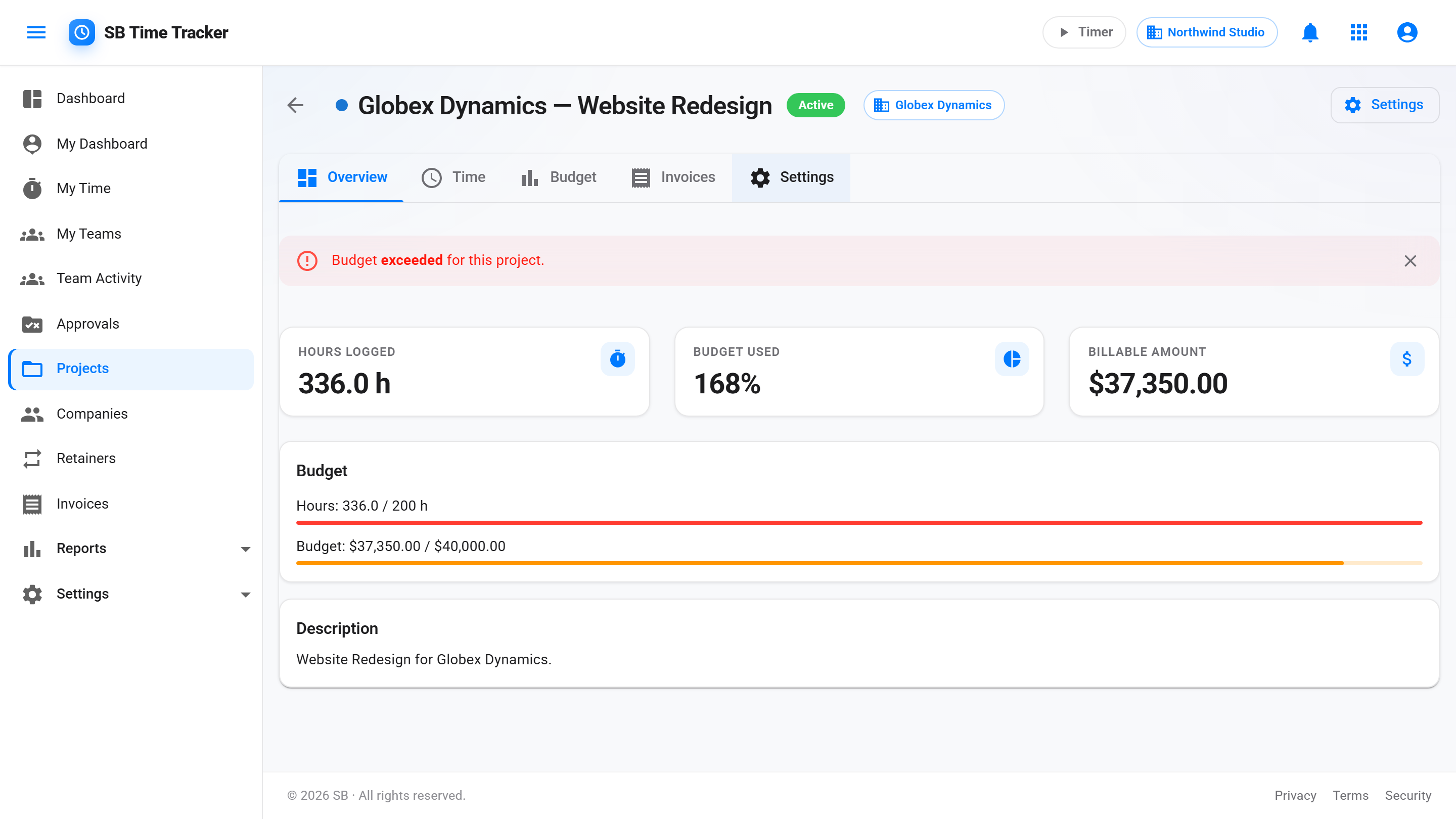
Set a budget in hours or dollars per project. See an in-app budget alert at 80% and 100% on the project. The project list shows a static budget-hours figure.
Activity types
Define your own taxonomy per tenant — Design / Dev / Strategy / Account Mgmt. Optional activity types per entry.
Teams
Group users into teams. Assign teams to projects and clients. Team Leads can manage members. Effective access is computed automatically — no permission spaghetti.
One model. Three levels of override.
The default rate comes from the user. Set a project-level rate to override for everyone working on that project. Set a per-user-per-project rate for the senior who bills more on this client. The reports honor the hierarchy automatically — no manual reconciliation.
- User-level: BillableRate + CostRate on every user
- Project-level: HourlyRate to override for the whole project
- Per-user-per-project: UserRates dictionary on the project
- Cost rate stays internal — only billable shows on invoices
- Profitability report uses both: revenue (billable) − cost (cost rate)
Know before you blow it.
Set a budget in hours, dollars, or both. Budget % is computed when you open the project page. See an in-app budget alert at 80% and 100% on the project.
- Hours and / or dollar budget per project
- 80% and 100% alert thresholds
- An in-app budget alert at 80% and 100% on the project
- Project list shows a static budget-hours figure
Access control without the spaghetti.
Create a team — say, the Brand team. Add 4 designers. Assign the team to 12 client projects. Now those 4 designers can log time on any of those 12 projects, and only those 12. A Team Lead can manage the team without being a CompanyAdmin.
- Team grants project access to all members
- Team Lead can add / remove members
- Per-user direct project access still works (it ORs)
- "Via Team X" attribution shown on the access screen
- Team-mediated access flips off when a user is deactivated
Move from Harvest or Toggl in under an hour.
Settings → Import accepts standard CSV exports. Projects and time entries come over on import; people are matched by email or name, and missing companies and projects are created in the same pass. A preview shows what will come in before anything is saved.
- Harvest and Toggl CSV formats supported out of the box
- Automatic project + company matching by name
Common questions
What if a person bills different rates on different projects?
Set a per-user-per-project rate in the project's UserRates. The reports and invoices use that rate first; if absent, fall back to the project rate; if absent, fall back to the user's default billable rate.
How do team-based and direct project access interact?
They OR. A user can see a project if they're directly assigned to it OR if they're on a team that's assigned to it. Removing the user from one path doesn't remove the other — the access stays as long as either path exists.
Can I archive a project?
Yes. Archived projects keep all their time entries (so historical reports stay correct) and are hidden from the active list. Un-archive any time.
Does the CSV import preserve historical IDs?
Time entry IDs are regenerated, but project and client names are preserved verbatim — so when you re-run a profitability report comparing two months, the projects line up.