Everything a small agency needs. Nothing it doesn't.
Six surfaces, one product. Built for small business agencies billing clients — not 500+-seat enterprises. Run Time and SB Project Management on one account and one bill.
30-day free trial · No credit card · Every feature included
Six things, done well.
Click any one to go deeper.
Time tracking
Timer, manual, or calendar — pick what fits each person on the team. Automatic reminders nudge people to log their time.
Invoicing
Approved hours and expenses roll into a branded PDF. Clients pay online by card or bank. Reminders send themselves, before and after the due date.
Expenses
Log costs against projects, attach receipts, and route them through approval. Billable expenses land on the invoice; every expense lands in your P&L.
Projects
Per-project budgets, cost rates, billable rates, and per-user overrides. Team-based access without endless permission flipping.
Reports
Project P&L with margin %. Team utilization split billable vs total. Timesheet review and CSV export everywhere.
Client portal
Give clients a read-only view of their invoices and logged hours under your subdomain.
Three ways to log time. One source of truth.
Some people start a timer when they sit down. Some block the week in advance. Some fix it Friday morning. SB Time Tracker supports all three without forcing one workflow on the team.
- Live timer
- Manual entry
- Calendar Day / Week / Month
- Automatic reminders for stragglers
From timesheet to paid invoice, in two clicks.
Pull approved time and billable expenses into a branded PDF. Lines grouped by project, with an option to show or hide quantity and rate per line. Retainers auto-invoice on schedule. Clients pay the hosted invoice online, and reminders send themselves — a nudge before the due date, then polite, then less-polite, dunning emails.
- Branded PDF with your company details
- Approved expenses billed alongside hours
- Recurring invoices from retainers
- Pick the display currency money renders in, per tenant (no FX conversion)
- Payment reminders before the due date + auto-overdue dunning emails
- Online card + ACH payment on every hosted invoice — via your own Stripe account
- Push customers, invoices, and payments to QuickBooks Online
Every project cost, captured and billed.
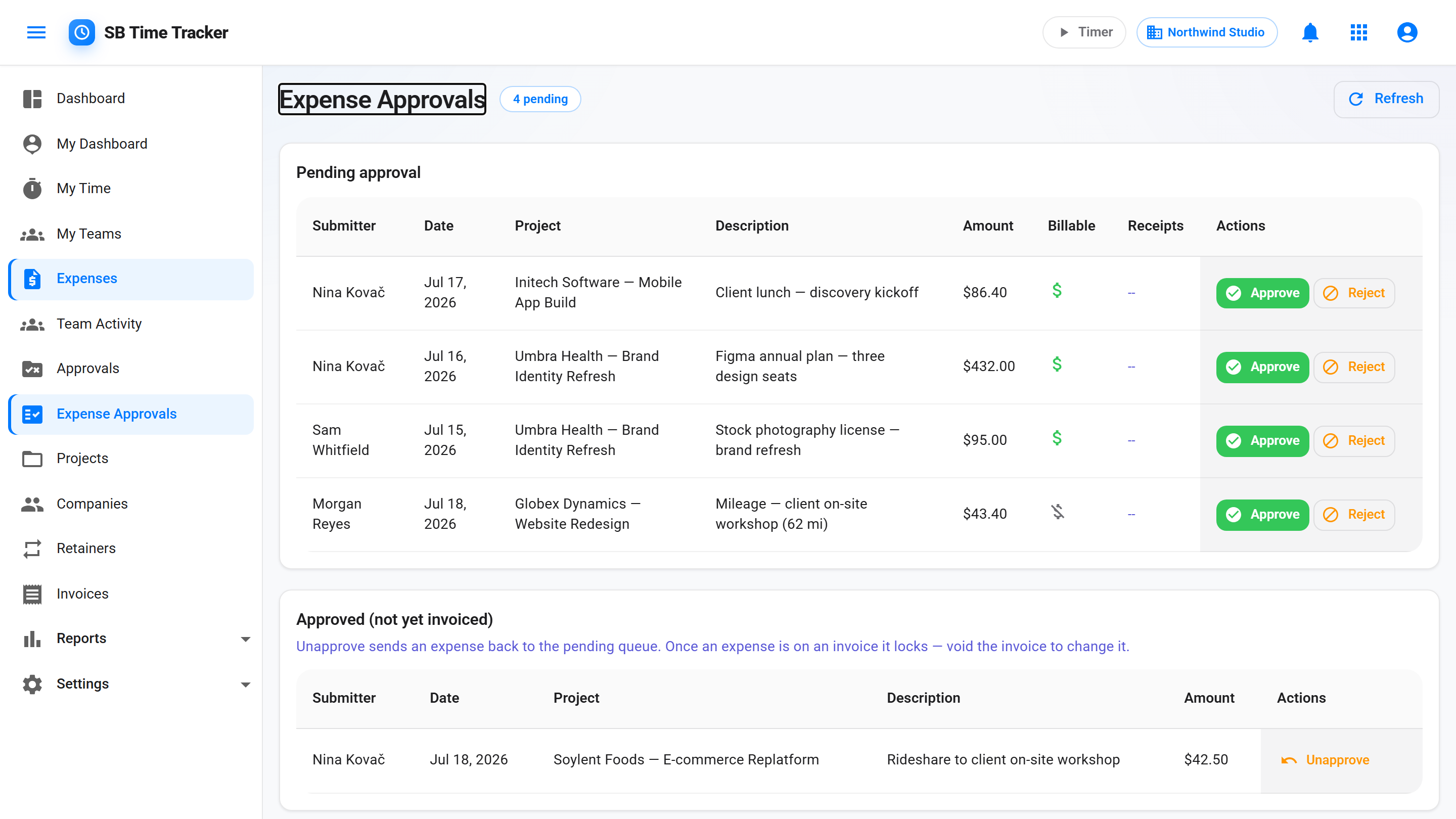
Travel, software, materials — log the cost against the project, snap the receipt onto it, and submit. A manager approves or rejects with a reason, the same way timesheets already work. Approved billable expenses flow into the invoice wizard as their own line items, and every expense lands in project profitability so margins reflect real costs, not just hours.
- Project-linked, with billable and reimbursable flags
- Receipt uploads — JPEG, PNG, WebP, or PDF
- Submit → approve/reject workflow with manager email alerts
- Approved billable expenses land on the invoice
- All expenses feed project P&L and CSV exports
Set rates once. Track everything against them.
Each user has a cost rate (what they cost you) and a billable rate (what the client pays). Override either at the project or per-user-on-project level. Team-based access keeps the right eyes on the right work.
- Cost rate vs billable rate, with per-user-per-project overrides
- Project budgets in hours or dollars, with alerts at 80% / 100%
- Activity types per tenant — Design / Dev / Strategy etc.
- Teams + Team Lead delegation for access control
See which projects actually make money.
Cost vs billable splits cleanly. Project margin % with cost, revenue, and hours. Team utilization broken into billable and total. CSV export everywhere finance asks for one.
- Project profitability with margin % — expenses included
- Team utilization (billable + total)
- Client and timesheet reports
- Audit log of every meaningful change
- CSV export on every report
A place clients can see their stuff — without you sending PDFs.
Each client gets a read-only portal under your subdomain. Their open invoices, paid history, and logged hours — all in one URL. Every sent invoice also carries a hosted link clients can open without logging in — and pay right there by card or ACH once you've connected Stripe.
- Read-only invoice list
- Logged hours by project for the current month
- A private login per client contact
- Hosted view-and-pay invoice page on every sent invoice
Same muscle as Harvest. Every feature on day one.
| Feature | SB Time Tracker | Harvest |
|---|---|---|
| Free trial | 30 days, full features, no card | 30 days on any plan, no card — plus a free 1-seat, 2-project plan |
| Price — every feature included | $14 / seat / mo (all-inclusive) | Teams $9, Enterprise $14 / seat / mo billed annually ($11 and $17.50 billed monthly) |
| Recurring invoices from retainers | Yes — flat monthly amount, auto-invoiced | No — Harvest has retainers and recurring invoices, but recurring invoices can't draw from a retainer |
| Auto-overdue + dunning emails | Yes | Yes — automated late reminders on a schedule you set |
| Cost rate vs billable rate split | Yes | Yes — cost rates plus default and per-project billable rates |
| Project P&L report | Yes — on the one plan | Yes — on the Enterprise plan |
| CSV import from Harvest | Yes | n/a |