Track time the way each person actually works.
Timer, manual, or calendar — pick what fits the team. The data lands in the same place either way, ready for invoicing and reporting.
30-day free trial · No credit card · Every feature included
One timesheet, three ways in.
Live timer
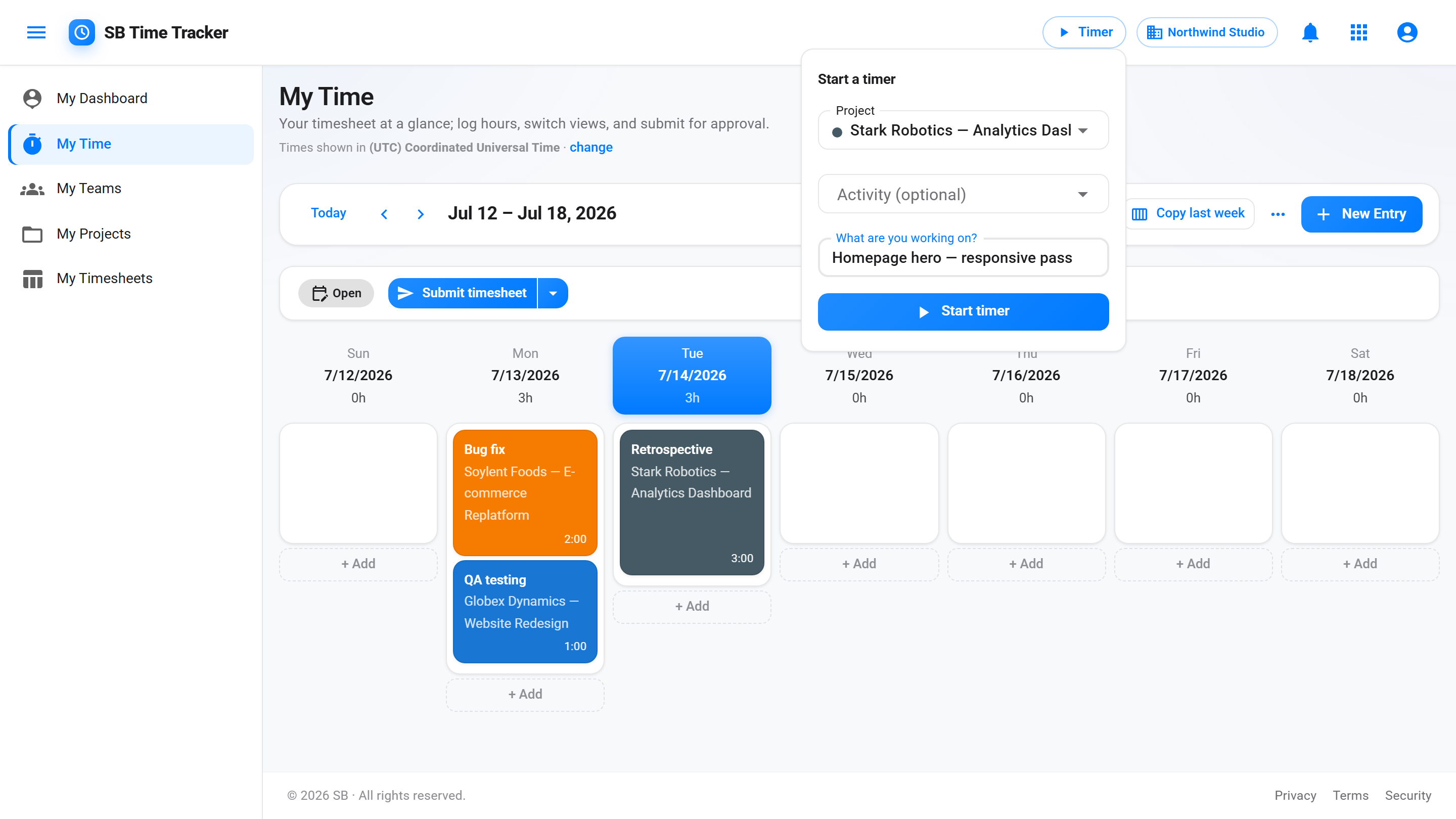
Start a timer with one click from the global timer bar. Switch projects without losing the running entry.
Manual entry
Add hours after the fact — by day or by block.
Calendar
See the week as a wall of cards. Card height equals hours.
Always-on timer that follows you.
The timer bar lives at the top of every page. Start, stop, or switch projects without breaking your flow. The running entry shows live duration, project, and activity type.
- Global timer bar — visible from any page
- One-click start / stop / switch project
See the whole week at once.
The Day / Week / Month calendar lays time entries out as cards. Card height is proportional to hours, color is the project.
- Day / Week / Month views
- Color-coded by project
Automatic reminders on the working days you choose.
A background service watches each user's daily logged hours against an expected daily target. If someone's short, it sends a reminder by in-app and email.
- Configurable reminder thresholds
- Email + in-app delivery
- Per-user weekly capacity (40h default, override per person)
Once an entry is invoiced, it's frozen.
Approved-and-invoiced time entries become immutable. No retroactive edits. Audit log captures who edited what, when, before approval. Managers see a queue of pending hours, approve in bulk. People can submit a partial week through a chosen date, and managers can submit outstanding weeks on behalf of trusted submitters.
- Manager approval queue
- Bulk approve; reject individually with a comment
- Partial-week submit — "submit through date" cuts a clean line mid-week
- Managers submit on behalf of trusted submitters (auto-approved, fully audited)
- Edits to invoiced entries are blocked
- Full audit trail of every change
Common questions
Can I edit time entries from previous weeks?
Yes, until the entry has been included on a sent invoice. After that it's frozen — finance gets to keep the books reconciled. Edits before that point are tracked in the audit log.
Does the timer work offline?
Install it as a PWA. If your network drops you get a friendly offline page. Live time tracking needs a connection.
Can I track time without picking a project?
No. Every entry must be on a project. This keeps reporting clean — there are no "untagged" hours floating around when finance closes the month.
What about activity types?
Each tenant defines its own activity types (Design, Dev, Strategy, QA, etc.). They're optional on entries.
How do time zones work if my team is spread out?
Everyone sees times in their own zone, and the same entry stays the same moment for all of you. Set yours once in your profile and every SB app follows it — Time Tracker, Project Management and CRM. Your company also has a default zone, set once by the account owner in SB Account, which covers anyone who hasn't picked their own. Leave your zone blank and you follow that default.
So will a teammate see a different time than me?
For a moment in time, yes — and that's correct. A note logged at 4:00 PM in Berlin reads 9:00 AM to a colleague in Chicago; it's one instant, shown on two clocks. Calendar dates behave the opposite way: a due date, an invoice date or a time-off day is a date, not a moment, so it reads the same for everyone no matter where they are. Only "due today" style wording shifts, because your today is genuinely your own.