Switching from Harvest? Here's what changes.
SB Time Tracker has the invoicing muscle of Harvest on a single $14 seat that also includes SB Project Management and SB CRM, plus a Harvest CSV import. Both tools give you 30 days free with no card. Below: every feature, side by side, including the rows where Harvest wins.
Compared at Harvest's published pricing as of 25 October 2026
| Feature | SB Time Tracker | Harvest |
|---|---|---|
| Free trial | 30 days, full features, no card | 30 days on any plan, no card |
| Free plan | No — trial, then $14 / seat / mo | Yes — 1 seat, 2 projects, free forever |
| Full plan | $14 / seat / mo, one plan, everything in it | Teams $9 / seat / mo and Enterprise $14 / seat / mo billed annually — $11 and $17.50 billed monthly |
| Usage-based fees | None. The bill is seats × $14 | Yes. Additional invoices, projects, clients and tasks are billed based on what you use (per-unit prices not published; checked 25 October 2026) |
| Time tracking — timer | Yes | Yes |
| Time tracking — manual entry | Yes | Yes |
| Time tracking — calendar week view | Yes | Yes |
| Recurring invoices from retainers | Yes — flat monthly amount, auto-invoiced | No — Harvest has retainers and recurring invoices, but recurring invoices can't draw from a retainer |
| Hosted invoice page for clients | Yes — secure link, no login | Yes — web invoice link, no login |
| Online card payment | Yes — card + ACH via Stripe | Yes — card + ACH via Stripe, or PayPal |
| Auto-overdue + dunning emails | Yes | Yes — automated late reminders on a schedule you set |
| Cost rate vs billable rate split | Yes | Yes — cost rates plus default and per-project billable rates |
| Project P&L report | Yes — on the one plan | Yes — profitability report, on the Enterprise plan |
| Team utilization (billable + total) | Yes | Yes — utilization in the time reports; scheduling is the separate Forecast product |
| Client portal (read-only) | Yes | Client dashboard — outstanding invoices and payments only, no sign-in |
| Client portal — hosted invoice links | Yes | Yes — reached from the web invoice |
| CSV import (from Harvest) | Yes | n/a |
| Audit log | Yes — on the one plan | Activity log, on the Enterprise plan |
| Mobile app | PWA install (installable; offline page only) | Native iOS + Android |
| QuickBooks sync | Yes — customers, invoices, payments | Yes |
| Multi-currency | Display currency per tenant (no FX conversion) | Yes |
| Setup time (small agency) | Under 1 hour | Under 1 hour |
Bring your Harvest history with you
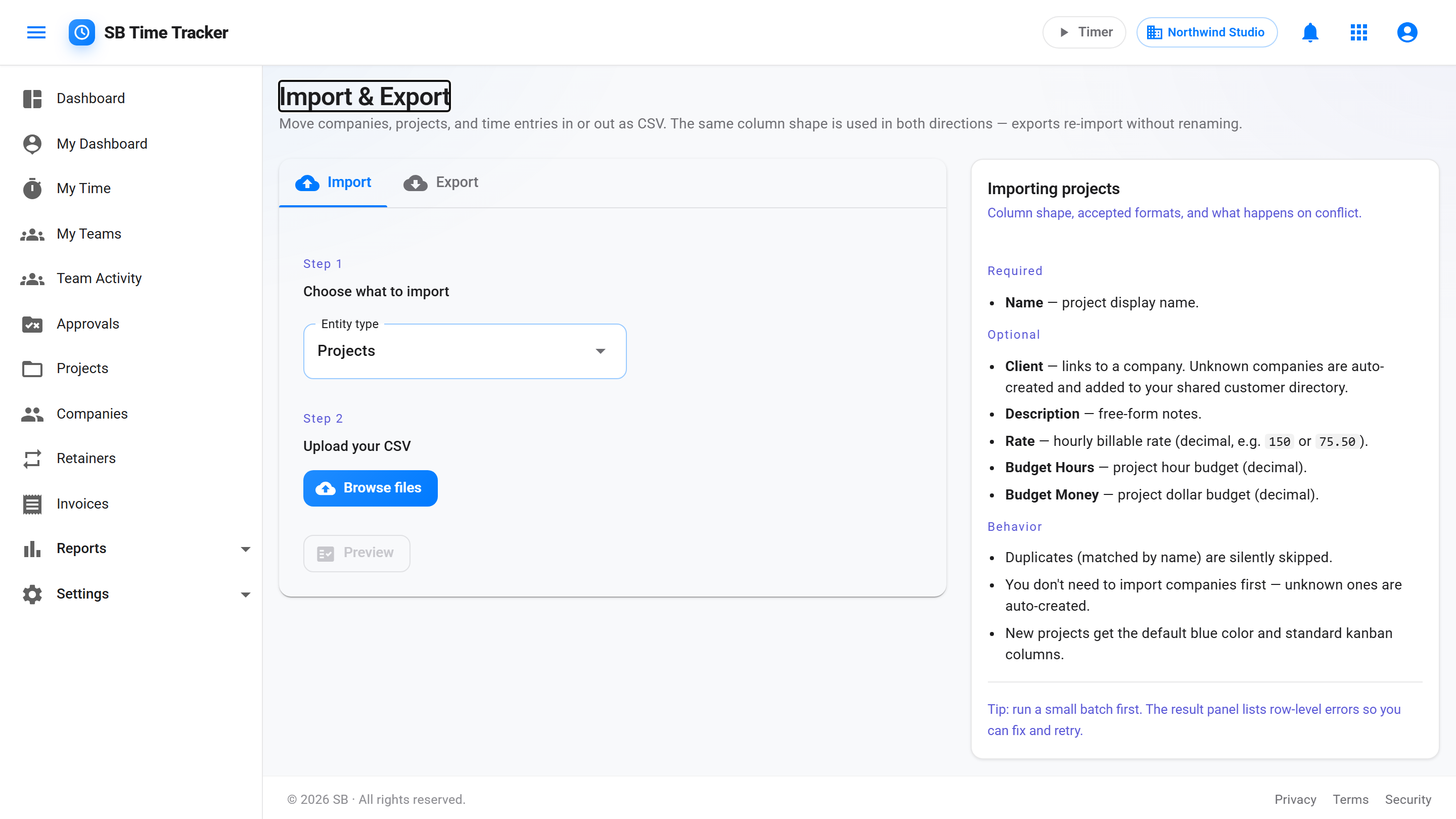
Settings → Import accepts standard Harvest CSV exports, including the detailed time report. People are matched to your SB users by email or name, rows marked Invoiced? come in as already billed, and missing companies and projects are created in the same pass. A preview shows what will come in, and nothing is saved until you confirm.
- CSV importer with a preview before anything is saved
- Automatic project + company matching by name
- Likely duplicates flagged and skipped, so a second run doesn't double your hours
Where Harvest is still ahead
We won't pretend otherwise. Harvest has been in the market for 15+ years, and it is a deep product: native iOS and Android apps, mature QuickBooks sync, multi-currency invoicing, retainers, automated late-payment reminders, and a profitability report. It also has something we don't — a free-forever plan for a single person on two projects. On features alone, Harvest matches or beats us in several rows above.
Where we differ is the shape of the deal. Harvest puts profitability reporting, timesheet approvals, and the activity log on its Enterprise plan — $14 per seat per month billed annually, $17.50 billed monthly. Our $14 seat is the only plan, and it includes those reports, the client portal, and SB Project Management and SB CRM as well — one login, one bill. If you only need time tracking and invoicing for a couple of people, Harvest Teams at $9 per seat billed annually is cheaper than we are, and we'd rather say so than have you find out in month two.
When to stay on Harvest, when to switch.
Stay on Harvest if: one person on two projects fits its free plan; you rely on its native iOS and Android apps or its 50+ integrations; or your invoice and project volume is low enough that the usage-based charges stay small, in which case Teams at $9 per seat billed annually is cheaper than our $14.
Switch to us if: your Harvest bill now moves with invoice and project volume and you would rather it moved only with headcount; you want profitability reports and timesheet approvals without the Enterprise plan; or you want project management and a CRM on the same seat. Start on a 30-day free trial with every feature turned on, no card, and import your Harvest CSV on day one.